Data Recovery Strategies to Protect and Restore Your Files
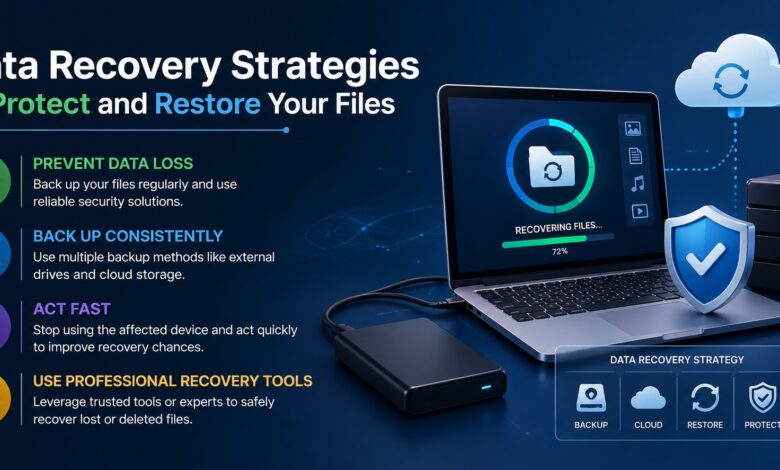
In today’s digital world, data is one of the most valuable assets individuals and organizations possess. From personal memories like photos and videos to essential documents and work files, losing data can be both emotionally and professionally devastating. However, with the right strategies in place, data loss doesn’t have to be permanent. By understanding how data loss happens and preparing effective recovery methods, you can safeguard your files and restore them when unexpected situations arise.
Data loss can occur for a variety of reasons, including accidental deletion, hardware failure, software corruption, malware attacks, or even natural disasters. These risks make it essential to adopt a proactive approach rather than waiting for a crisis. The good news is that modern recovery techniques have evolved significantly, making it possible to retrieve lost data in many scenarios. With proper planning and the right tools, you can ensure your files remain protected and recoverable.
Data recovery solutions like those offered by XAppSet play a crucial role in helping users restore lost files efficiently and securely. Whether you’ve accidentally deleted important documents or experienced a system crash, having access to a reliable recovery method can make all the difference. By integrating smart recovery practices into your routine, you can reduce stress and avoid permanent data loss.
Understanding the Importance of Data Backup
One of the most effective ways to protect your files is by maintaining regular backups. A backup acts as a safety net, allowing you to restore your data even if the original files are lost. Without a backup, recovery becomes more complex and sometimes impossible.
There are several types of backups you can consider:
- Full backups: These include all your data and provide a complete restore point.
- Incremental backups: These save only the changes made since the last backup, reducing storage space.
- Cloud backups: Storing data online ensures accessibility from anywhere and protection against physical damage.
Creating a consistent backup schedule is key. Whether it’s daily, weekly, or monthly, the frequency should match how often your data changes. Automated backup systems can simplify this process and ensure nothing is overlooked.
Common Causes of Data Loss
Understanding what leads to data loss can help you take preventive measures. Some of the most common causes include:
- Accidental deletion: One of the most frequent issues, often caused by human error.
- Hardware failure: Hard drives and storage devices can fail unexpectedly.
- Software corruption: Operating system crashes or application errors can damage files.
- Malware and viruses: Malicious software can delete or encrypt your data.
- Power outages: Sudden shutdowns can interrupt file processes and cause corruption.
By recognizing these risks, you can take steps to minimize their impact, such as using antivirus software, surge protectors, and reliable storage devices.
Effective Data Recovery Techniques
When data loss occurs, acting quickly can improve your chances of recovery. Here are some effective strategies:
1. Stop Using the Affected Device
Continuing to use a device after data loss can overwrite the missing files, making recovery more difficult. Immediately stop using the device to preserve the data.
2. Check Backup Sources
Before attempting advanced recovery methods, check your backups. Restoring from a backup is often the fastest and safest option.
3. Use Recovery Software
Modern recovery tools are designed to scan storage devices and retrieve lost files. These tools can recover various file types, including documents, images, and videos.
4. Recover from Temporary Files
Some applications automatically save temporary versions of your work. These files can sometimes be used to restore lost data.
5. Seek Professional Help
In severe cases, such as physical damage to a storage device, professional recovery services may be required. These services use specialized equipment to retrieve data.
Preventive Measures to Avoid Data Loss
Prevention is always better than recovery. Implementing preventive strategies can significantly reduce the risk of losing your files.
- Regular updates: Keep your operating system and software up to date to avoid vulnerabilities.
- Antivirus protection: Use reliable security tools to prevent malware attacks.
- Safe handling of devices: Avoid physical damage by handling storage devices carefully.
- Power protection: Use uninterruptible power supplies (UPS) to prevent sudden shutdowns.
By combining these practices, you create a strong defense against potential data loss scenarios.
The Role of Modern Recovery Tools
Technology has made data recovery more accessible than ever. Advanced tools can scan deep into storage systems and recover files that were once considered lost forever. These tools are designed to be user-friendly, allowing even non-technical users to restore their data with ease.
XAppSet provides an intuitive approach to file recovery, helping users retrieve important data without complicated procedures. Its ability to handle different file types and storage devices makes it a practical choice for various situations. By using such tools, you can recover data quickly and minimize downtime.
Best Practices for Long-Term Data Safety
To ensure long-term protection of your files, consider adopting these best practices:
- Use multiple storage solutions: Combine local and cloud storage for added security.
- Encrypt sensitive data: Protect important files from unauthorized access.
- Organize your files: Proper organization makes it easier to locate and recover data.
- Test your backups: Regularly verify that your backups are working correctly.
Consistency is key when it comes to data safety. By making these practices part of your routine, you can maintain control over your digital assets.
Building a Data Recovery Plan
Having a structured recovery plan can save valuable time during a crisis. Your plan should include:
- Backup locations and schedules
- Recovery tools and software
- Steps to follow in case of data loss
- Contact information for professional assistance
A well-defined plan ensures that you can respond quickly and effectively, reducing the impact of data loss.
Staying Prepared in a Digital World
As technology continues to evolve, the importance of data protection and recovery will only grow. Whether you’re managing personal files or critical business data, being prepared is essential. By understanding risks, implementing preventive measures, and using reliable recovery solutions, you can safeguard your information and restore it when needed.
Ultimately, data recovery is not just about retrieving lost files—it’s about maintaining peace of mind. Knowing that your data is protected and recoverable allows you to focus on what truly matters, without the constant fear of losing valuable information.
For a dependable solution to restore your lost files, visit https://www.xappset.com/xrecovery/.