Streamlining Character Animation Workflows with Real-Time Blender Motion Capture
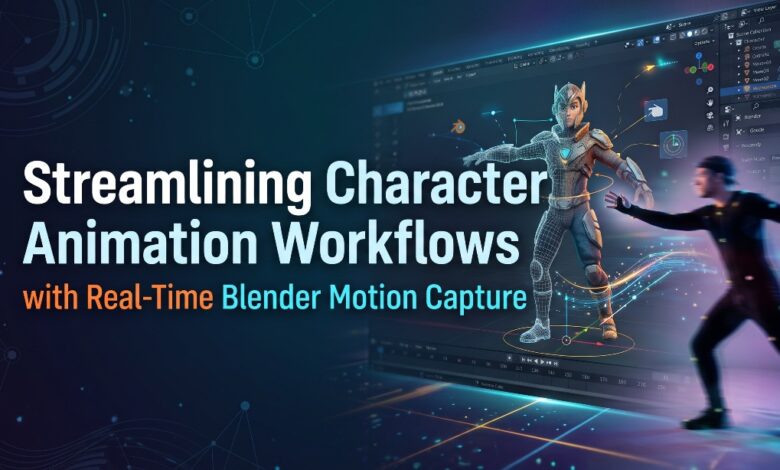
Digital character animation has entered a revolutionary era of creative freedom, technical accessibility, and unprecedented visual fidelity. While traditional manual keyframing remains a respected foundational discipline within visual arts, the fast-moving landscape of digital entertainment demands agile, organic, and highly responsive production methodologies. Translating physical human movement directly into virtual 3D space allows animators, independent storytellers, virtual performers, and game developers to bypass the agonizingly slow process of manually manipulating individual joint rotations frame by frame. By capturing the nuanced physics of human locomotion, authentic balance shifts, and expressive body language in real time, digital artists can ground their virtual characters in believable physical reality while dramatically shortening overall project timelines.
The true magic of contemporary animation lies in the power of real-time performance feedback. In conventional production models, an actor’s performance was recorded in isolation, sent through lengthy post-processing phases, and imported into a 3D suite days or weeks later, only for the creative team to discover spatial collisions, awkward rest poses, or timing disconnects. Modern real-time pipelines bridge this divide entirely, establishing a live, continuous data stream between physical performers and digital character rigs. Animators can now watch a digital hero run, jump, gesture, and speak inside the 3D viewport at the exact instant the physical performer executes the action. This instantaneous feedback loop elevates directorial decision-making, promotes spontaneous creative experimentation, and transforms digital character staging into an engaging, collaborative stage play.
When building a responsive modern animation pipeline, mastering Blender Motion Capture with advanced tracking systems from Virdyn provides artists with an immediate, high-fidelity bridge between physical acting and digital character performance. By streaming multi-node inertial sensor arrays, high-precision finger tracking, and synchronized facial capture data directly into the open 3D environment, creative studios can eliminate production friction and bypass cumbersome cleanup cycles. Whether your creative ambitions focus on cinematic episodic series, interactive gaming experiences, digital human production, or virtual live streaming, establishing a robust real-time capture workflow equips your studio to deliver breathtaking character movement with remarkable speed and precision.
The Technical Foundations of Real-Time Motion Capture in 3D Production
Implementing a live motion capture workflow requires an understanding of how raw kinetic data transforms into articulated skeletal motion inside a 3D viewport. Modern performance systems rely on an interconnected ecosystem of sensor hardware, data fusion math, and network communication protocols to maintain continuous, ultra-low-latency tracking.
- Multi-Node Sensor Fusion: Wearable inertial suits utilize networks of miniature nine-axis inertial measurement units (IMUs) equipped with advanced accelerometers, gyroscopes, and magnetometers. Each sensor measures orientation and angular acceleration hundreds of times per second, passing these metrics through asynchronous fusion algorithms to reconstruct complex human kinematics without relying on line-of-sight camera arrangements.
- Ultra-Low-Latency Network Streaming: Real-time data delivery relies on optimized network protocols that transmit rotation matrices, coordinate vectors, and frame timestamps over high-speed wireless networks. Data packets travel from the performer’s body hub directly into the 3D application with sub-twenty-millisecond transmission speeds, providing instantaneous visual feedback on screen.
- Standardized Skeletal Coordinate Spaces: Incoming motion packets translate into standardized skeletal hierarchies where joint relationships follow strict parent-child dependencies. Establishing a shared coordinate space ensures that forward, upward, and lateral vectors calculated in physical space align perfectly with the virtual environment’s world axes.
- Continuous Frame Synchronization: Maintaining synchronized frame rates between the capture broadcasting engine and the 3D playback timeline prevents jitter, dropped frames, and temporal drift. Standardizing your workspace to matching broadcast intervals guarantees smooth temporal continuity throughout prolonged recording sessions.
Preparing Character Rigs and Workspace Architecture
Before establishing a live capture stream, preparing your 3D scene and character rig ensures that incoming animation curves bind cleanly to target meshes without unpredictable distortion, unexpected scaling, or joint inversions.
- Standardize Scene Unit Dimensions: Ensure that your 3D scene units are calibrated strictly to real-world metric measurements. Inertial tracking engines compute physical displacement based on real-world meters; if a project file operates in arbitrary or mismatched units, root motion solvers will miscalculate step distances and world translation.
- Apply All Object Transforms: Always freeze location, rotation, and scale transforms on both the character mesh and its underlying deformation armature prior to binding. Leaving unapplied scale or rotation values on an object creates hidden offset transformations that corrupt incoming rotation vectors.
- Establish a Standardized Rest Pose: Place your custom character rig into an accurate, symmetrical reference rest pose, such as a neutral T-pose or standard A-pose. A clean rest pose provides the mathematical reference framework necessary for retargeting solvers to map joint orientations accurately.
- Calibrate Primary Bone Roll Angles: Inspect your armature’s individual bone roll values in edit mode. Aligning the primary bending axes of knees, elbows, and fingers along clean, consistent plane orientations prevents unnatural twisting when multi-axis rotation streams are applied.
- Organize Outliner Hierarchies: Maintain an orderly project structure by grouping custom character meshes, control armatures, and incoming capture skeletons into distinct, labeled collections. This simplifies visibility management and makes isolation easier during live streaming passes.
Establishing the Real-Time Streaming and Live Connection
Connecting a physical capture system directly to your 3D animation environment turns your computer monitor into an interactive virtual soundstage. By utilizing dedicated connection bridges, animators can drive character armatures live during rehearsals and final takes.
- Configure Network Ports and IP Handshakes: Establish a stable local network connection between the tracking software hub and your 3D workspace. Designate dedicated communication ports to ensure data packets stream smoothly without interference from background operating system tasks.
- Map Live Armatures to Viewport Proxies: Bind incoming motion data to an optimized, lightweight proxy skeleton in the viewport. Using a lightweight proxy rig ensures that viewport frame rates remain exceptionally high during live tracking, even when working inside geometrically dense virtual sets.
- Real-Time Interactive Staging: Directing virtual actors in real time allows camera operators and scene designers to adjust focal lengths, lighting setups, and set dressing on the fly. When a performer moves behind virtual scenery or interacts with environmental obstacles, the director can see the spatial relationship instantly.
- One-Click Live Recording: Modern bridge utilities allow animators to trigger recording directly within the 3D environment. Once a take begins, incoming motion curves are written straight into action channels as editable keyframes, streamlining the transition from performance to post-processing.
Full-Body Kinematics, Expressive Hands, and Facial Integration
A truly compelling character performance requires harmonious coordination across the entire body, from dynamic spinal curvature down to subtle finger gestures and expressive facial articulation. Advanced capture architectures developed by Virdyn deliver integrated solutions that capture these disparate elements into a unified, synchronized performance stream.
- Full-Body Skeletal Articulation: Tracking the body with dense sensor configurations captures the natural curvature of the spine, pelvis tilt, and shoulder girdle adjustments. This holistic capture preserves the physical weight, organic momentum, and balance transitions that hand-animation often struggles to replicate quickly.
- High-Precision Multi-Node Finger Capture: Human hands communicate vast amounts of emotional context and physical intent. Dedicated multi-sensor data gloves equipped with high-density inertial nodes track individual phalange bending, thumb abduction, and delicate finger splay, eliminating the stiff, lifeless hands common in basic mocap setups.
- Synchronized Facial Tracking Systems: Pairing full-body suits with lightweight facial capture helmets allows performers to deliver spoken dialogue and expressive facial reactions simultaneously. Facial capture modules translate eyebrow raises, cheek movements, and mouth shapes directly into standard blendshape channels in real time.
- Cohesive Timecode Alignment: Recording body, hand, and facial streams under a single synchronized timecode clock prevents drift between spoken dialogue, expressive gestures, and overall physical posture. This unified capture structure eliminates hours of tedious manual timeline synchronization during post-production.
Step-by-Step Retargeting Strategy for Custom Characters
Because custom digital characters vary widely in height, limb proportions, and anatomical design, retargeting is the crucial process of adapting recorded human motion onto your custom armature without introducing anatomical distortion.
- Step 1: Build the Bone Mapping Definition: Establish an explicit mapping table linking the source capture bones to your custom character’s control handles. Map the root pelvis, lumbar and thoracic spine sections, collarbones, neck, head, and corresponding arm and leg chains.
- Step 2: Align Source and Target Rest Poses: A frequent source of retargeting error is a mismatched resting frame between armatures. If the capture skeleton initializes in an A-pose while your custom character was modeled in a T-pose, adjust the source skeleton’s resting stance to match your target model perfectly before activating the retargeting solver.
- Step 3: Enforce Target Character Proportions: Configure the retargeting algorithm to transfer joint rotation data while preserving your custom character’s unique limb lengths and bone distances. This prevents a stylized, long-limbed character from shrinking or stretching to match the physical performer’s dimensions.
- Step 4: Configure Inverse Kinematics Solvers: Utilize dual-chain inverse kinematics (IK) setups for the character’s legs and arms during the retargeting pass. IK constraints ensure that hands and feet track purposeful spatial targets, maintaining proper physical interaction with digital terrain.
- Step 5: Preview Motion Across Extreme Ranges: Scrub through dynamic moments in the performance—such as deep squats, high kicks, or reaching gestures—to verify that joint limits are respected and that the character mesh does not suffer from unnatural volume collapse.
- Step 6: Bake the Solved Action to Keyframes: Once the retargeted motion looks balanced and natural, bake the resulting performance directly onto the target character rig’s keyframe channels. This decouples the character from the source capture armature, generating a standalone animation action ready for editing.
Comprehensive Data Cleaning and Graph Editor Polishing
Even the highest-grade performance recordings benefit from a disciplined cleanup and polishing pass to ensure the character interacts convincingly with the digital world.
- Filtering Micro-Jitters in the Graph Editor: Open the animation curve editor to inspect rotation and location channels. Applying selective, non-destructive smoothing algorithms removes high-frequency sensor noise while preserving the sharp, deliberate acceleration of dynamic martial arts strikes or athletic sprints.
- Resolving Gimbal Lock and Euler Angle Flips: Rapid, multi-axis joint rotations can occasionally trigger calculation anomalies in Euler rotation channels, resulting in jarring single-frame joint flips. Converting Euler curves into smooth quaternion rotation curves or applying rotation discontinuity filters cleanly resolves these artifacts.
- Eliminating Foot Sliding on Virtual Floors: Minor proportion variances between the physical actor and the virtual character can cause feet to slide slightly during ground contact. Apply inverse kinematics locking constraints during planted contact frames to ensure feet remain solidly anchored to the floor plane.
- Polishing Contact and Interaction Planes: When a performance requires an actor to touch their own face, clasp their hands, or interact with digital props, manually adjust wrist and finger curves to eliminate mesh intersections and establish crisp, believable contact boundaries.
Advanced Non-Linear Animation (NLA) and Motion Layering
Working with baked motion capture data does not mean sacrificing artistic stylization. Non-linear animation (NLA) editors allow animators to combine, loop, blend, and stylize realistic motion captures with the flexibility of traditional keyframing.
- Creating Modular Animation Clips: Convert long, continuous motion capture takes into discrete, reusable action strips—such as walk cycles, combat stances, environmental reactions, and idle gestures. Storing these actions in an organized asset library speeds up future scene assembly.
- Seamless Motion Blending: Arrange multiple action strips across stacked NLA tracks and apply automatic ease-in and ease-out interpolation curves. This smoothly blends transitions between disparate motions, such as moving from a casual walk into a sudden sprint, without visible visual pops.
- Additive Keyframe Layering: Add an empty animation layer directly above the baked motion capture strip to introduce stylized, expressive exaggeration. Animators can layer additional spine arching, dramatic head turns, or comedic timing adjustments on top of the realistic motion base without altering the underlying capture data.
- Dynamic Time-Warping and Retiming: Adjust strip evaluation curves to accelerate or decelerate specific moments within a physical action. Retiming allows animators to emphasize dramatic anticipation, enhance impact weight, or synchronize physical hits with musical cues and sound effects.
Creative Applications Across Digital Humans, Virtual Production, and Game Art
Integrating real-time motion capture directly into 3D production pipelines unlocks extraordinary potential across a wide spectrum of visual mediums. Creative studios and independent artists can deploy these tools to conquer diverse artistic challenges with agility and flair.
- Virtual Production and Real-Time Previsualization: Directors and cinematographers can scout virtual sets, choreograph complex camera moves, and block out multi-character scenes in real time. Seeing actors drive digital doubles inside fully lit 3D environments accelerates pre-production and ensures creative alignment long before final rendering begins.
- Digital Humans and Virtual Live Performers: Driving photorealistic virtual avatars, digital brand ambassadors, and virtual streamers live on stage requires uninterrupted, high-precision tracking. Real-time full-body and facial capture empowers digital performers to interact spontaneously with live audiences, building genuine emotional connection through natural, responsive body language.
- Accelerated Game Locomotion and Combat Systems: Game developers can rapidly assemble exhaustive libraries of character mechanics, including sprint transitions, crouch walks, vaulting maneuvers, and combat combos. Generating authentic gameplay animations through live capture ensures player characters move with believable weight and kinetic realism.
- Independent Episodic Storytelling: Small creative teams and solo animators can produce multi-character web series, short films, and visual effects sequences that would have historically required a massive team of manual animators. Real-time motion capture democratizes high-end digital storytelling, allowing creators to focus their resources on world-building, narrative depth, and visual design.
Best Practices for Long-Term Pipeline Optimization
Building a sustainable, scalable motion capture pipeline requires continuous refinement of studio habits, file management, and hardware maintenance. Adopting proven operational protocols ensures consistent, reliable results across every production milestone.
- Establish Strict File Naming and Versioning Protocols: Maintain rigorous naming conventions for raw capture files, retargeted armatures, and polished action strips. Incorporating project codes, character names, scene numbers, and take identifiers prevents costly file confusion during multi-shot productions.
- Regular Calibration and Sensor Care: For inertial tracking hardware, perform routine calibration routines before every major recording block to account for local environmental conditions. Proper storage, battery management, and careful handling of wearable sensor harnesses maintain tracking accuracy over years of intensive studio use.
- Document Armature Rigging Standards: Maintain an internal technical specification document detailing standardized bone naming structures, default rest poses, and axis orientations for all studio character models. Ensuring that every newly modeled character adheres to these rigging guidelines makes future retargeting completely frictionless.
- Foster Collaboration Between Performers and Animators: Great motion capture is a collaborative art form. Encourage clear communication between physical actors and digital artists regarding character motivation, spatial boundary constraints, and narrative goals, ensuring that every recorded take captures the exact emotional resonance required by the story.
Elevating Your Studio Animation Pipeline
The convergence of intuitive open 3D creation software with high-precision tracking technologies pioneered by Virdyn has permanently dismantled the technical and financial barriers that once limited advanced performance capture to massive visual effects facilities. By integrating real-time streaming, automated skeletal retargeting, multi-node finger tracking, and flexible non-linear animation layering into your daily production environment, your creative team can bypass repetitive technical bottlenecks and focus entirely on visual storytelling. As digital character production continues to evolve across cinema, interactive gaming, and virtual broadcast spaces, mastering a fast, real-time performance workflow ensures your studio remains agile, competitive, and artistically boundless.
To learn more about the forward-thinking vision, innovative technologies, and industry-leading performance solutions driving contemporary character animation, please visit https://www.virdynm.com/about-us/.